Introduction
Remote work has transformed the way businesses operate. From startups to large enterprises, companies are embracing flexible work environments to improve productivity, reduce operational costs, and attract top talent. However, managing a remote workforce comes with its own set of challenges.
Without proper communication, visibility, and accountability, managers often struggle to monitor employee performance, track task progress, and maintain team collaboration.
The good news is that these challenges can be solved with the right processes and technology. By using modern Employee Tracking App, Workforce Management App, and Remote Employee Monitoring App tools, businesses can effectively manage remote teams while building trust and maintaining productivity.
In this guide, we'll explore the common problems businesses face, why they happen, traditional management methods, and how smart workforce management solutions help organizations manage remote employees successfully.
The Problem: Challenges of Managing Remote Staff
Remote work offers flexibility, but it also creates operational challenges for managers and business owners.
Without the right systems, businesses often experience:
1. Lack of Visibility
Managers cannot physically see what employees are working on.
This makes it difficult to answer questions like:
- Are tasks progressing on time?
- Is the employee actively working?
- Are deadlines being met?
- Who needs support?
Without visibility, project delays become more common.
2. Communication Gaps
Working from different locations often results in delayed responses, missed updates, and miscommunication between employees and managers.
Important information may get lost across emails, chats, or phone calls.
3. Difficulty Tracking Productivity
Many businesses rely on employees to submit manual work reports, making it difficult to measure actual productivity.
Managers often spend hours following up instead of focusing on strategic work.
4. Attendance and Availability Issues
Knowing when employees start work, take breaks, or complete their workday can be challenging without a proper attendance system.
This can lead to inaccurate work-hour records and payroll discrepancies.
5. Reduced Team Collaboration
Without structured collaboration tools, remote employees may feel disconnected from their teams, affecting engagement and overall performance.
6. Unverified WhatsApp Reports and Manual Updates
Many businesses still rely on WhatsApp messages, photos, voice notes, or Excel sheets for daily work updates.
Employees may send messages like:
- "Task completed"
- "Visited client"
- "Reached site"
- "Meeting done"
However, managers often struggle to verify:
- Was the task actually completed?
- Was the employee really at the customer location?
- Was the photo taken today or reused from an old visit?
- Were all assigned tasks completed?
- Is the report accurate or just manually typed?
As the workforce grows, verifying hundreds of WhatsApp updates every day becomes nearly impossible, leading to delayed decisions, reduced accountability, and inaccurate reporting.
Why These Challenges Happen
Remote work itself isn't the problem.
The real issue is that many businesses continue using outdated management methods designed for office-based teams.
Common reasons include:
- Manual attendance tracking
- Spreadsheet-based task management
- Email-only communication
- No centralized reporting system
- Lack of employee tracking tools
- No real-time project visibility
As remote teams grow, these manual processes become inefficient and difficult to manage.
Manual Ways Businesses Manage Remote Staff
Before adopting digital workforce management tools, many organizations relied on manual processes.
Daily Status Emails
Employees send end-of-day reports summarizing completed work.
Challenges
- Time-consuming
- Difficult to verify progress
- Reports may be inconsistent
Phone Calls
Managers call employees throughout the day for updates.
Challenges
- Interrupts productivity
- Difficult to scale for larger teams
- No historical record
Excel Task Sheets
Tasks are managed using spreadsheets.
Challenges
- Limited collaboration
- No real-time updates
- High risk of errors
Messaging Apps
Teams communicate using messaging platforms.
Challenges
- Conversations become scattered
- Important updates may be missed
- No centralized task tracking
Although these methods may work for small teams, they quickly become inefficient as businesses expand.
The Smart Solution: Workforce Management App
Modern businesses are replacing manual processes with Workforce Management App that centralizes attendance, task management, employee monitoring, reporting, and collaboration.
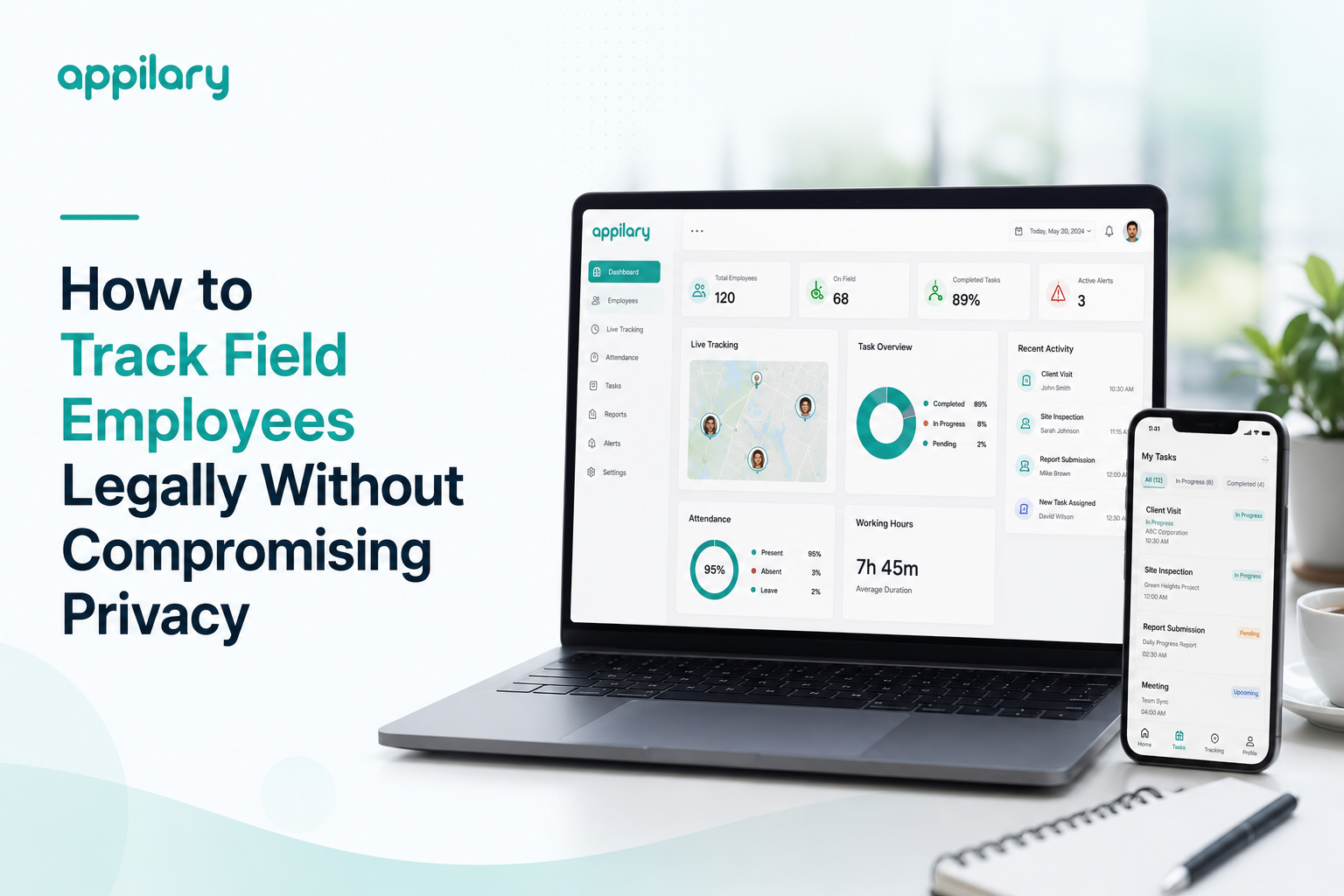
Instead of chasing updates, managers gain real-time visibility into team performance through a single dashboard.
A comprehensive Employee Tracking App solution enables businesses to monitor work-related activities while respecting employee privacy.
How Employee Tracking App Helps Manage Remote Staff
The goal of Remote Employee Monitoring is not to invade privacy but to improve collaboration, accountability, and operational efficiency.
Modern employee tracking solutions help businesses by providing:
- Real-time task visibility
- Attendance tracking
- Productivity reports
- Work-hour monitoring
- Performance analytics
- Activity dashboards
Employees remain accountable without unnecessary micromanagement.
Essential Features for Managing Remote Teams
1. Employee Tracking App
Track employee work progress, attendance, and productivity from a centralized dashboard.
Managers gain better visibility into ongoing tasks without relying on manual reports.
2. Task Management
Assign tasks, set deadlines, monitor progress, and receive completion updates automatically.
Employees always know what needs to be done next.
3. Workforce Management App
A complete Workforce Management App solution combines attendance, task allocation, reporting, employee monitoring, and workforce analytics into one platform.
This reduces administrative workload while improving team efficiency.
4. Attendance Management
Employees can check in and check out digitally using secure attendance systems.
For organizations with mobile or hybrid teams, a GPS Attendance App provides location-based attendance verification during working hours.
5. Productivity Reports
Managers receive automated reports covering:
- Completed tasks
- Working hours
- Attendance
- Project progress
- Employee performance
- Productivity trends
These insights support better decision-making.
6. Real-Time Notifications
Managers are instantly notified about:
- Task completion
- Delayed assignments
- Employee attendance
- Schedule changes
- Missed deadlines
This allows quick action before small issues become larger problems.
7. Team Collaboration
Integrated communication tools help employees:
- Share updates
- Ask questions
- Collaborate on projects
- Resolve issues quickly
Strong communication improves employee engagement and project success.
8. Remote Employee Monitoring
Ethical Remote Employee Monitoring focuses on work-related activities such as completed tasks, attendance, and project status rather than intrusive surveillance.
This creates a healthy balance between accountability and employee trust.
9. Field Force Automation
For businesses with remote sales representatives, service engineers, or field executives, Field Force Automation helps manage customer visits, GPS tracking, task assignments, route planning, and reporting from a single platform.
Benefits of Managing Remote Staff with Modern App
Businesses adopting digital workforce management solutions experience several advantages.
- Increased Productivity
- Employees spend less time preparing reports and more time completing meaningful work.
- Better Accountability
- Managers gain complete visibility into work progress and attendance.
- Improved Communication
- Centralized communication reduces misunderstandings and improves collaboration.
- Accurate Attendance Records
- Digital attendance systems eliminate manual errors and simplify payroll processing.
- Faster Decision-Making
- Real-time dashboards enable managers to identify issues and respond quickly.
- Enhanced Employee Experience
- Employees benefit from clear expectations, organized workflows, and fewer interruptions.
- Business Scalability
- As teams grow, app makes it easier to manage employees across multiple locations without increasing administrative effort.
- Best Practices for Managing Remote Staff Effectively
- Businesses should follow these proven practices:
- Set clear goals and expectations.
- Use project and task management app.
- Track outcomes instead of constantly monitoring employees.
- Schedule regular team meetings.
- Encourage transparent communication.
- Provide employees with the right digital tools.
- Use employee tracking only for legitimate business purposes.
- Recognize employee achievements and provide regular feedback.
- Protect employee data through secure systems.
- Foster a culture of trust and accountability.
When employees feel trusted and supported, they are more engaged and productive.
Conclusion
Managing remote staff effectively requires more than occasional check-ins or spreadsheets. As remote and hybrid work continue to grow, businesses need reliable systems that provide visibility, improve collaboration, and simplify workforce management.
By adopting Employee Tracking App, Workforce Management App, Remote Employee Monitoring, GPS Attendance Apps, and Field Force Automation, organizations can streamline operations, improve productivity, ensure accurate attendance, and empower employees to perform at their best.
The most successful companies don't manage remote teams through constant supervision—they build trust, automate routine processes, and use technology to create a connected, productive, and accountable workforce. Investing in the right workforce management solution helps businesses stay competitive while supporting employees in today's flexible work environment.