Introduction
For FMCG and consumer brands, retail execution is where sales plans meet the real world.
A company may have the right products, attractive packaging, strong promotions, and a well-planned distribution strategy. But what happens inside hundreds or thousands of retail outlets can be difficult to see.
Is the product actually available?
Is it placed correctly on the shelf?
Are promotional materials installed?
Is the planned display being maintained?
Did the sales representative visit the outlet?
Was the outlet visit completed as planned?
Are competitors getting better shelf visibility?
When a brand operates across multiple cities, distributors, sales territories, and retail outlets, answering these questions manually becomes difficult.
This is why businesses increasingly use retail execution monitoring, field sales automation, retail audit software, and outlet monitoring tools to get a clearer view of what is happening at the ground level.
In simple terms, retail execution monitoring means checking whether the activities planned for a retail outlet are actually being completed correctly and consistently.
What Is Retail Execution?
Retail execution is the process of making sure that a brand's sales, merchandising, promotional, and visibility plans are properly implemented inside retail stores.
It can include:
- Product availability
- Shelf visibility
- Product placement
- Planogram compliance
- POSM deployment
- Retail branding
- Promotional display execution
- Pricing checks
- Competitor monitoring
- Stock availability
- Retailer visits
- Order collection
- Store audits
- Photo-based verification
- Outlet compliance
The objective is simple Make sure the right product is available at the right outlet, with the right visibility and the right execution.
Modern retail execution also combines field visits, mobile data collection, geo-tagged information, photographs, dashboards, and automated reporting to give managers better visibility into outlet-level performance.
Why Is Monitoring Retail Execution Across Multiple Outlets Difficult?
Monitoring 10 or 20 outlets manually may be manageable.
Monitoring hundreds or thousands of outlets is a completely different challenge.
Consider a brand operating across:
- Multiple states
- Multiple cities
- Different distributors
- Hundreds of sales representatives
- Thousands of retail outlets
- General trade and modern trade stores
- Different product categories
- Different merchandising standards
The amount of information generated every day becomes enormous.
A sales manager may need to know:
Which outlets were visited?
Which outlets were missed?
Which stores had stock-outs?
Where was POSM installed?
Which stores failed the merchandising checklist?
Which areas have poor execution?
Which sales representatives are following their planned routes?
Without a structured system, this information can remain scattered across spreadsheets, WhatsApp messages, photographs, calls, and manual reports.
That makes it difficult to identify execution problems quickly.
10 Ways to Monitor Retail Execution Across Multiple Outlets
1. Create a Centralized Outlet Database
The first step is to maintain a structured database of all retail outlets.
Each outlet can have information such as:
- Outlet name
- Outlet ID
- Retailer name
- Address
- City
- State
- Pincode
- Distributor
- Sales representative
- Outlet type
- Channel
- Product category
- Visit frequency
- GPS coordinates
- Last visit date
- Current execution status
This gives managers a single source of information instead of maintaining separate outlet lists for different teams.
A centralized outlet database also makes it easier to compare execution across territories.
For example:
TerritoryTotal OutletsVisitedMissedDelhi50046535Jaipur42038634Lucknow35031535
Instead of looking at hundreds of individual reports, the manager can immediately identify where coverage needs attention.
2. Use Beat Planning and Route Management
Retail execution depends heavily on field teams.
If sales representatives do not visit the right outlets at the right frequency, execution quality can suffer.
Beat planning helps organize outlet visits into practical daily routes.
For example:
Monday
15 outlets → Area A
Tuesday
18 outlets → Area B
Wednesday
16 outlets → Area C
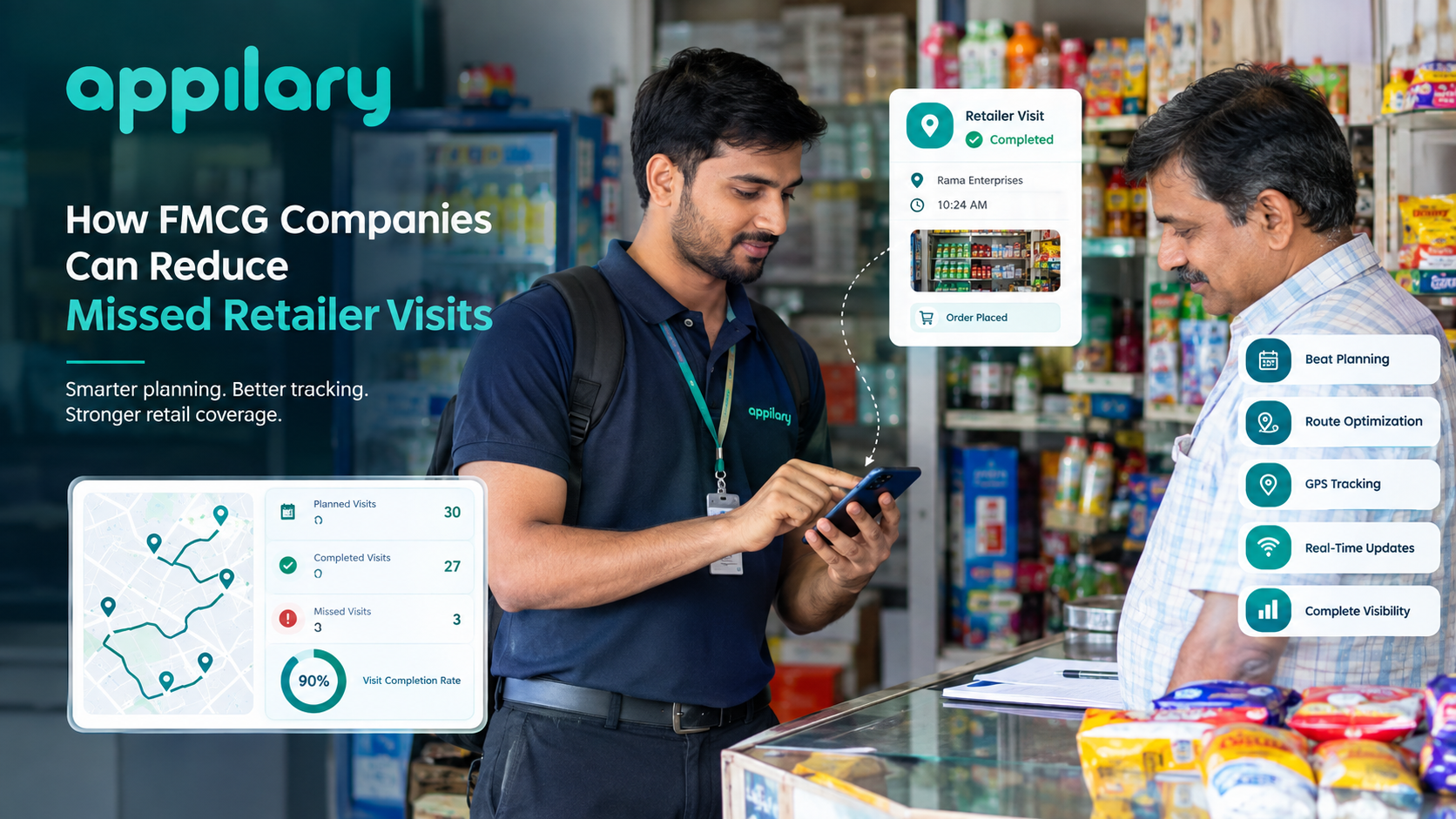
A field sales automation system can connect planned beats with actual outlet visits and route activity. Route adherence and field tracking are commonly used to compare planned field activity with actual execution.
This helps managers identify:
- Missed outlets
- Unplanned visits
- Route deviations
- Low outlet coverage
- Repeatedly skipped stores
- Poor territory coverage
The goal is not simply to track movement.
The goal is to understand whether the planned retail coverage is actually happening.
3. Verify Outlet Visits Using GPS and Geo-Tagging
One of the biggest challenges in field operations is verifying whether a visit actually happened at the intended location.
A simple check-in button does not always provide enough information.
GPS-based outlet visit monitoring can associate a field activity with the geographical location where it was performed.
For example:
A sales representative is assigned to visit Outlet A.
The system can capture:
- Check-in location
- Check-in time
- Check-out time
- Outlet details
- Visit activity
- Photos
- Survey responses
- Orders captured
This creates a digital record of the outlet visit.
Geo-tagged visits and GPS field tracking are commonly used in retail execution and field sales workflows to provide visibility into on-ground activities.
4. Use Digital Retail Audits
Paper-based audits can become difficult when hundreds of outlets are involved.
A retail audit app can replace paper forms with digital checklists.
A field representative can answer questions directly from a mobile device.
For example:
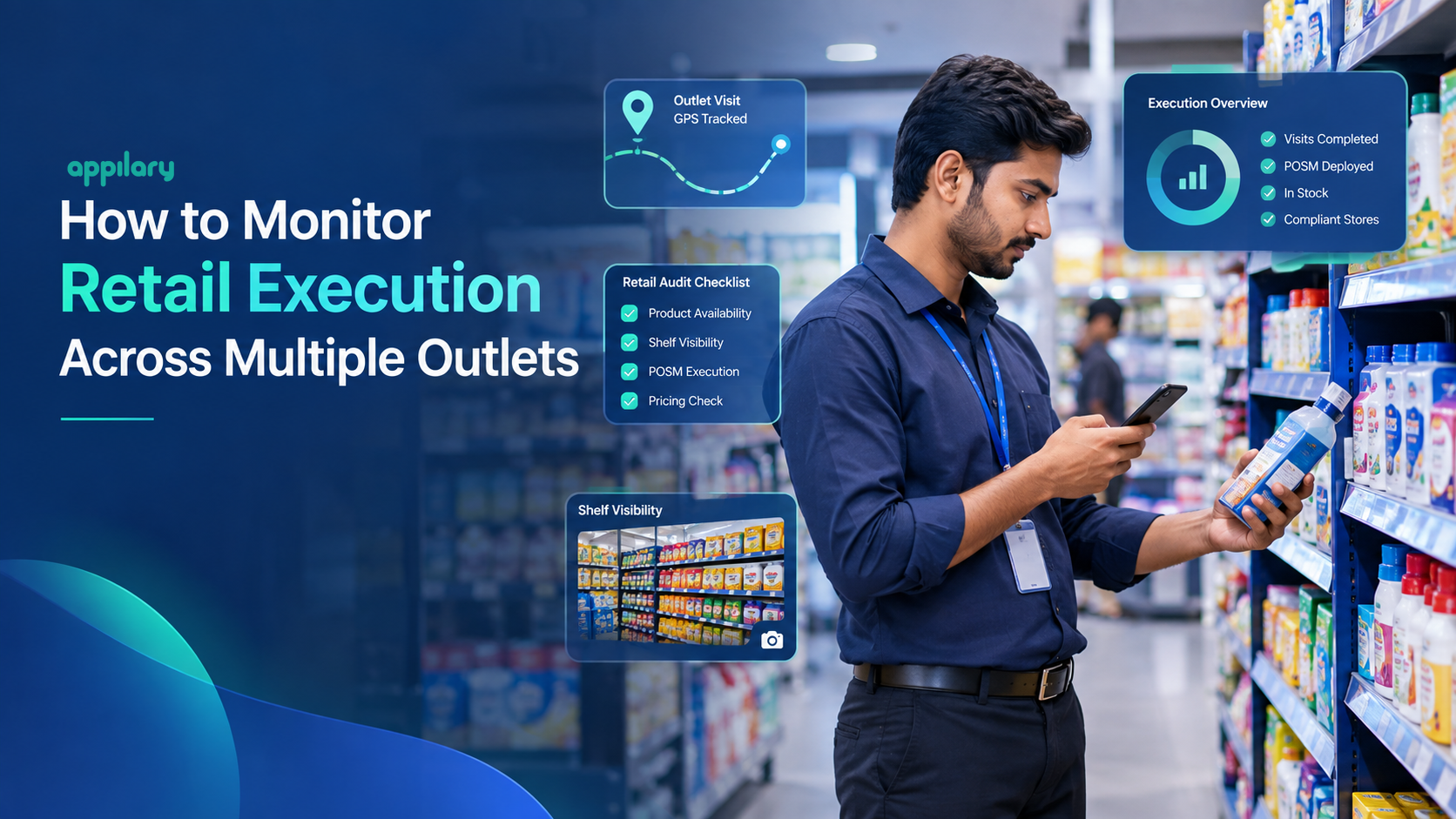
Outlet Audit Checklist
Product Availability
☐ Product A available
☐ Product B available
☐ Product C available
Display
☐ Correct shelf position
☐ Required display available
☐ Competitor visibility checked
Promotion
☐ Promotional material installed
☐ Offer displayed
☐ Price communication visible
Branding
☐ POSM available
☐ Branding condition acceptable
☐ Branding follows guidelines
This information can then be available to managers through a centralized dashboard.
5. Capture Photo Proof of Execution
Numbers alone do not always tell the complete story.
A store may be marked as "display completed," but a manager may still want to see what the display actually looks like.
This is where photo-based retail execution monitoring becomes useful.
Field teams can capture photographs of:
- Shelves
- Product displays
- POSM
- Retail branding
- Promotional materials
- Competitor displays
- Storefronts
- Before-and-after execution
Photos can provide visual proof of what happened at the outlet.
For large retail programs, geo-tagged photographs and image-based proof can help managers verify execution across different locations.
6. Track Shelf Visibility and Share of Shelf
Having a product inside a store does not necessarily mean that it has good visibility.
A product can be available but placed:
- Behind competitors
- On a lower shelf
- In an incorrect section
- With poor facings
- Without promotional visibility
Therefore, shelf visibility monitoring is an important part of retail execution.
Businesses can track metrics such as:
- Number of facings
- Shelf position
- Share of shelf
- Product availability
- Competitor presence
- Display compliance
- Planogram compliance
With image-based analysis, shelf photographs can also be used to identify products, check planogram compliance, and detect certain availability or merchandising issues.
7. Monitor POSM and Retail Branding
Point-of-sale materials can play an important role in retail visibility.
Examples include:
- Posters
- Danglers
- Standees
- Shelf strips
- Counter displays
- Wobblers
- Retail boards
- Promotional branding
But distributing POSM is only one part of the process.
Brands also need to know:
Was it delivered?
Was it installed?
Is it still visible?
Is it installed correctly?
Is the branding damaged?
A POSM tracking system can help monitor deployment and execution across multiple outlets.
This makes it easier to identify outlets where branding has not been completed or where corrective action is required. Retail branding systems commonly combine POSM tracking, shelf visibility, outlet compliance audits, and visual merchandising reports.
8. Create Outlet-Wise Compliance Scores
When hundreds of outlets are involved, managers need a simple way to understand execution quality.
An outlet compliance score can combine multiple checks into one measurement.
For example:
ParameterWeightProduct Availability25%Shelf Visibility20%POSM Compliance20%Pricing Compliance15%Display Compliance10%Promotion Execution10%
An outlet completing most requirements may receive a higher compliance score, while an outlet with multiple execution gaps will receive a lower score.
This helps managers move from:
"Did the representative visit?"
to:
"Was the outlet properly executed?"
That distinction is important.
A completed visit does not automatically mean successful retail execution.
9. Use Real-Time Retail Execution Dashboards
When teams operate across multiple territories, manually collecting reports at the end of the day can delay decision-making.
A retail execution dashboard can bring important information together in one place.
A manager could see:
Today's Retail Execution
Total Outlets: 2,500
Visited: 2,180
Missed: 320
Compliant: 1,760
Non-Compliant: 420
Stock-Out Alerts: 145
POSM Gaps: 210
Pending Audits: 175
The dashboard can also provide filters for:
- State
- City
- Territory
- Distributor
- Sales representative
- Outlet
- Product
- Date
- Campaign
- Channel
This allows managers to move from a national-level view to a specific outlet without going through multiple spreadsheets.
Real-time dashboards, automated reporting, and outlet-level monitoring are increasingly used to connect field activity with management visibility.
10. Automate Reports and Alerts
One of the biggest advantages of digitizing retail execution is reducing manual reporting.
Instead of waiting for representatives to submit spreadsheets, businesses can automatically generate reports based on field data.
Reports can include:
- Daily outlet coverage
- Retailer visit reports
- Sales representative performance
- Route adherence
- Product availability
- POSM compliance
- Shelf visibility
- Outlet audit results
- Territory performance
- Campaign execution
- Exception reports
Managers can also create alerts for important situations.
For example:
Alert: 25 outlets in Jaipur were not visited today.
Alert: Product X is unavailable at 40 outlets.
Alert: POSM execution is pending at 18 outlets.
Alert: Route adherence is below the defined threshold.
This allows managers to focus on exceptions instead of manually checking every outlet.
Retail Execution KPIs You Should Track
Monitoring the right KPIs is just as important as collecting data.
Some useful retail execution KPIs include:
1. Outlet Coverage
Measures how many planned outlets were actually visited.
2. Visit Compliance
Measures whether planned visits were completed according to schedule.
3. Product Availability
Measures how often the required products are available at the outlet.
4. Out-of-Stock Rate
Shows how frequently products are unavailable.
5. Planogram Compliance
Measures whether products are placed according to the required shelf arrangement.
6. POSM Compliance
Measures whether required promotional materials are installed correctly.
7. Share of Shelf
Measures the percentage of shelf space occupied by the brand compared with competitors.
8. Display Compliance
Measures whether the required displays are correctly implemented.
9. Retailer Order Conversion
Measures how many outlet visits result in an order.
10. Outlet Compliance Score
Combines multiple execution parameters into one outlet-level measurement.
Together, these KPIs provide a more complete picture than sales numbers alone.
Manual Retail Monitoring vs Digital Retail Execution Monitoring
Manual Retail Monitoring vs Digital Monitoring
Manual Retail Monitoring
- Paper-based audits
- Spreadsheet reporting
- Manual visit verification
- Delayed reporting
- Difficult photo management
- Separate outlet lists
- Manual KPI calculations
- Difficult territory comparison
Digital Retail Execution Monitoring
- Mobile digital audits
- Automated dashboards
- GPS and geo-tagged visits
- Faster access to field data
- Digital photo proof
- Centralized outlet database
- Automated KPI reporting
- Territory-wise analytics
How a Retail Execution Monitoring System Works
A simple retail execution workflow can look like this:
Step 1: Create Outlet Master
Add all retail outlets and their relevant information.
↓
Step 2: Assign Sales Representatives
Map outlets to territories, distributors, and field representatives.
↓
Step 3: Plan Beats and Routes
Create daily or weekly outlet visit plans.
↓
Step 4: Field Representative Visits Outlet
The representative checks in through a mobile application.
↓
Step 5: Complete Retail Audit
The representative completes the required checklist.
↓
Step 6: Capture Photo Evidence
Photos are captured for shelves, branding, POSM, displays, or other required activities.
↓
Step 7: Record Sales or Orders
Orders, stock information, and retailer interactions can be recorded during the visit.
↓
Step 8: Sync Field Data
Data is sent to the central system, including offline data when connectivity becomes available.
↓
Step 9: Manager Reviews Dashboard
Managers can review coverage, compliance, sales activity, and execution gaps.
↓
Step 10: Take Corrective Action
Teams can follow up on missed visits, stock-outs, branding issues, or other execution problems.
This creates a continuous cycle:
Plan → Visit → Capture → Verify → Analyze → Correct → Improve
How to Improve Retail Execution Across Multiple Locations
Technology alone does not guarantee better execution.
The process also needs clear standards.
Define Clear Outlet Standards
Every field representative should know exactly what a properly executed outlet looks like.
Keep Checklists Simple
Too many questions can slow down field teams. Capture information that directly supports business decisions.
Use Photo Verification Where It Matters
Use photographs for important visual activities such as displays, branding, POSM, and shelf execution.
Track Exceptions
Managers do not need to manually inspect every successful outlet. Focus attention on missed visits, stock-outs, poor compliance, and unusual results.
Compare Territories
Compare cities, distributors, teams, and outlets to identify execution gaps.
Review Data Regularly
Daily monitoring helps identify immediate problems, while weekly and monthly reviews can reveal larger trends.
Connect Execution With Sales
The ultimate purpose of retail execution is not simply achieving a high audit score. Businesses should understand how availability, visibility, promotions, and execution relate to sales and retailer performance.
Benefits of Monitoring Retail Execution Digitally
A structured retail execution monitoring process can help businesses achieve:
Better Outlet Visibility
Managers can understand what is happening across multiple outlets without depending entirely on manual updates.
Improved Field Team Accountability
Planned visits, actual visits, audits, and execution activities can be recorded digitally.
Faster Identification of Gaps
Managers can identify missed outlets, stock-outs, poor displays, and compliance issues more quickly.
Better Merchandising Control
Shelf visibility, planogram compliance, POSM, and display execution can be monitored systematically.
Reduced Manual Reporting
Automated reports reduce repetitive spreadsheet preparation.
Better Decision-Making
Centralized field data gives managers a clearer basis for territory and outlet-level decisions.
Scalable Operations
A digital system can support expansion from hundreds to thousands of outlets without increasing manual reporting at the same rate.
What Features Should a Retail Execution Monitoring Tool Have?
If a business is evaluating a retail execution software or retail execution app, some important features to consider are:
- Mobile retail audit
- Outlet database management
- Beat planning
- Route management
- GPS tracking
- Geo-tagged outlet visits
- Geo-fencing
- Digital checklists
- Photo proof of execution
- POSM tracking
- Shelf visibility monitoring
- Product availability tracking
- Planogram compliance
- Competitor tracking
- Order capture
- Sales representative tracking
- Offline data collection
- Real-time dashboards
- Automated reports
- Territory-wise analytics
- Outlet compliance scoring
- Alerts and notifications
- CRM integration
- Role-based access
The exact features required will depend on the size of the field team, outlet network, sales process, and retail execution goals.
Common Mistakes in Retail Execution Monitoring
Only Tracking Sales
Sales numbers tell you what happened, but they do not always tell you why it happened.
Low sales could be connected to availability, visibility, pricing, distribution, competitor activity, or poor execution.
Tracking Visits Without Measuring Execution
A completed outlet visit does not automatically mean that the required activities were completed.
Collecting Too Much Data
More data is not always better.
If field teams spend too much time filling forms, adoption can suffer.
Ignoring Photo Evidence
For visual activities, numbers alone may not provide enough verification.
Waiting Until Month-End
If execution problems are discovered only after a monthly report, opportunities to correct them may already have been missed.
Using Separate Systems for Every Activity
When sales, merchandising, attendance, audits, and outlet information are stored separately, managers may struggle to see the complete picture.
The Future of Retail Execution Monitoring
Retail execution is moving from basic reporting toward more connected and data-driven field operations.
Mobile applications, GPS tracking, digital audits, image recognition, automated dashboards, and AI-based shelf analysis are making it possible to capture more detailed information from retail environments. Current retail execution platforms increasingly combine field monitoring with shelf analytics, planogram compliance, POSM tracking, and automated reporting.
The next step is not simply collecting more photographs or more field reports.
It is turning that information into useful actions.
For example:
Which outlets need a follow-up?
Where are stock-outs increasing?
Which territories have weak execution?
Where is shelf visibility declining?
Which promotional displays are not being implemented?
Which outlets require another visit?
When these questions can be answered quickly, retail teams can respond faster and manage large outlet networks more effectively.
Conclusion
Monitoring retail execution across multiple outlets is challenging because retail operations happen across thousands of physical locations while managers often work from centralized offices.
The solution is to connect outlet management, field sales automation, route planning, GPS-based visit monitoring, digital retail audits, photo verification, merchandising checks, POSM tracking, and real-time reporting into one structured process.
A strong retail execution system should help businesses answer three basic questions:
Did the field team reach the right outlet?
Was the required activity completed correctly?
What action is required next?
When businesses can answer these questions consistently, they gain better visibility into their retail network and can identify execution gaps before they become larger problems.
Ultimately, successful retail execution is not just about visiting more outlets.
It is about executing the right activities, at the right outlets, with the right standards—and having the visibility to know what is actually happening on the ground.